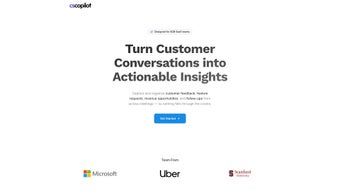

Download CSCopilot – AI‑Powered Customer Success Platform for B2B SaaS Teams
Overview
In the hyper‑competitive world of B2B SaaS, the margin between retaining a customer and losing one often hinges on how quickly and accurately a success team can act on the insights hidden inside every support call, onboarding session, or product demo. Teams traditionally rely on scattered notes, manual ticket entries, and separate analytics tools, which creates data silos, introduces human error, and consumes valuable time that could be spent nurturing relationships. CSCopilot was built to eliminate those friction points by turning every spoken interaction into a structured, searchable knowledge base that is instantly ready for analysis and action.
Powered by a large‑language‑model (LLM) backend, CSCopilot captures audio from live meetings, webinars, or uploaded recordings, transcribes the content in real time, and then applies AI‑driven categorisation to tag each utterance with intent, sentiment, and priority level. The platform goes beyond simple transcription: it auto‑generates meeting briefs before the call, summarizes key take‑aways afterward, and even drafts follow‑up tasks that can be pushed directly into a CRM or ticketing system. By answering natural‑language queries such as “Which accounts reported a decline in satisfaction last month?” or “What are the top three feature requests from the finance sector?”, the tool lets managers surface trends without digging through spreadsheets.
Security is baked into every layer of CSCopilot. The service complies with GDPR, SOC 2, ISO 27001, and offers AES‑256 encryption at rest together with TLS 1.3 in transit. Role‑based access controls, audit logs, and data residency options make it suitable for regulated industries such as fintech, health‑tech, and enterprise software.
Whether you are a bootstrapped startup scaling to ten seats or a multinational corporation with thousands of users, CSCopilot’s multi‑region cloud architecture scales automatically while maintaining strict compliance.
The result is a single source of truth that transforms raw conversation noise into actionable intelligence, accelerates decision‑making, reduces churn risk, and ultimately drives higher revenue per customer. CSCopilot’s blend of automation, AI insight, and enterprise‑grade security makes it a strategic investment for any SaaS organization that wants to turn every customer interaction into a growth engine.
Core Features & AI Capabilities
- Automated Capture & Transcription: One‑click dial‑in links, browser extensions for Zoom/Teams/Webex, and bulk upload support enable instant transcription in over 30 languages with speaker diarisation.
- Intelligent Categorisation & Tagging: AI classifies each utterance into predefined buckets (Feature Request, Bug Report, Onboarding Help, Churn Risk, etc.) and learns custom tags from your own terminology.
- Pre‑Call Agenda Generator: Before a scheduled meeting, the platform analyses historical data for the prospect and suggests a tailored agenda, key objectives, and potential risk points.
- Post‑Call Action‑Item Summaries: Within minutes, CSCopilot produces concise bullet‑point summaries, assigns tasks to team members, and creates follow‑up reminders that sync with your calendar.
- Natural‑Language Insight Engine: Ask plain English questions (“What are the most requested features this quarter?”) and receive instant, data‑backed visualisations or downloadable reports.
- Sentiment & Churn Risk Scoring: Real‑time tone analysis, keyword frequency, and conversation dynamics generate a numeric risk score that highlights accounts needing proactive outreach.
- Product Feedback Loop: Extracted requests are automatically added to a structured backlog, linked to roadmap items, and can be exported to Jira, Asana, or Trello.
- Secure Data Management: End‑to‑end encryption, immutable audit trails, data‑loss‑prevention policies, and customizable retention periods keep compliance effortless.
- Deep Integrations & Open API: Native connectors for Salesforce, HubSpot, Microsoft Dynamics, Zendesk, Jira, Slack, Microsoft Teams, plus a RESTful API for custom workflows.
- Customisable Dashboards & Prompt Templates: Drag‑and‑drop widgets let you build KPI panels (NPS trends, average resolution time, feature adoption), while saved prompts automate recurring analyses.
- Scalable Multi‑Region Cloud Architecture: Auto‑scaling containers and load‑balanced micro‑services guarantee sub‑second response times from 10‑seat startups to 10,000‑user enterprises.
Why AI Makes the Difference
Traditional note‑taking tools rely on human memory and manual entry, which leads to missed details, inconsistent formatting, and delayed insight. CSCopilot’s LLM backbone not only transcribes speech but also interprets intent, sentiment, and context. For example, a single 45‑minute support call can produce a transcript, a list of three actionable tasks, a churn‑risk score, and a set of five product suggestions—all without a single keystroke from the agent. The AI continuously refines its model using your organization’s unique vocabulary, improving accuracy for industry‑specific jargon such as “API throttling” or “SLA breach”.
Prompt engineering is another powerful feature. Teams can create reusable query templates—like a “Quarterly Churn Risk Report” or a “Monthly Feature Request Heatmap”—store them in the platform, and run them with a single click. This eliminates repetitive research, accelerates reporting cycles, and ensures that every stakeholder receives consistent, data‑driven answers. In practice, product managers can pull a live list of the top‑voted feature requests directly from the AI, while CSMs receive a daily risk‑alert dashboard highlighting accounts with declining sentiment scores.
Installation, Usage & Compatibility
Getting Started – Simple, Secure, and Fast
CSCopilot is a cloud‑native web application, so there is no heavy client to install. To begin, navigate to the official website, click the bright “Start Free Trial” button, and complete the secure sign‑up flow. After verifying your email address, you are prompted to create a workspace, invite team members, and connect your calendar (Google Calendar, Outlook, or Apple Calendar). The onboarding wizard guides you through selecting default transcription languages, configuring role‑based permissions, and linking your CRM of choice.
For organisations that require on‑premise control, CSCopilot offers a Docker‑based deployment that can run behind your firewall while still leveraging the same AI engine via a private API gateway. The deployment package includes Kubernetes manifests, detailed network‑security guidelines, and a step‑by‑step installation guide located in the documentation portal. This option satisfies strict data‑residency requirements without sacrificing the cloud‑scale performance of the AI models.
Daily Workflow – Capture, Analyse, Act
Once the workspace is ready, you have three primary ways to capture conversation data: (1) Join a meeting using a unique CSCopilot dial‑in link that records the audio stream, (2) Install the browser extension that automatically detects Zoom, Microsoft Teams, or Webex sessions and starts recording with one click, or (3) Manually upload pre‑recorded audio or video files after the fact. The AI engine begins processing immediately; within 2‑5 minutes a fully searchable transcript appears in the Conversation Hub.
From the hub you can tag the transcript with custom labels, assign action items to specific teammates, or type a query into the “Insight Bar”. For example, typing “Summarise all product bugs reported by Acme Corp in the last 30 days” returns a concise list with links to the original recordings. The platform also visualises sentiment heat maps, risk scores, and open tasks on a real‑time dashboard that can be embedded in your internal portal.
Integrations work bidirectionally: when a new task is created in CSCopilot, it can be pushed automatically to Salesforce as a follow‑up activity, and when a ticket is closed in Zendesk, the associated transcript is updated with a resolution note. Webhooks let you trigger external workflows—such as sending a Slack notification to the product team whenever a high‑priority feature request is identified.
Supported Operating Systems & Devices
Because CSCopilot runs in the browser, it is compatible with any modern OS that supports Chrome, Edge, Firefox, or Safari. This includes Windows 10/11, macOS 12+, popular Linux distributions, as well as mobile browsers on iOS 14+ and Android 9+. For users who need offline access, native iOS and Android apps are currently in beta, offering on‑the‑go transcript review, quick AI queries, and push notifications for risk alerts.
The platform also provides a fully documented RESTful API and Webhooks, allowing developers to retrieve transcripts, sentiment scores, or upload new recordings programmatically. Whether your stack is built on .NET, Java, Python, or Node.js, you can integrate CSCopilot’s capabilities into custom dashboards, data warehouses, or AI‑powered analytics pipelines.
Pros, Cons & Frequently Asked Questions
Pros
- Fully automated transcription and intelligent categorisation eliminate hours of manual note‑taking.
- Natural‑language insight engine delivers instant answers to complex business questions.
- Robust security and compliance (GDPR, SOC 2, ISO 27001) protect sensitive customer data.
- Seamless integration with major CRMs, ticketing systems, and collaboration tools reduces context‑switching.
- Scalable cloud architecture accommodates teams from 5 users to 10,000+ without performance loss.
- Customisable dashboards, prompt templates, and API access empower data‑driven decision making across the organisation.
- On‑premise Docker deployment option satisfies strict data‑residency and firewall requirements.
Cons
- Pricing can be a barrier for very small startups; the free tier limits transcription to 5 hours per month.
- Initial AI model tuning may require a short learning period to accurately capture niche industry terminology.
- On‑premise deployment adds complexity and may need dedicated DevOps resources.
- Real‑time transcription accuracy may drop in noisy environments without a high‑quality microphone or dedicated conference hardware.
- Beta mobile apps may lack some advanced features available in the web version.
FAQ
How secure is my data with CSCopilot?
CSCopilot uses end‑to‑end encryption, AES‑256 at rest, and TLS 1.3 in transit. It complies with GDPR, SOC 2, ISO 27001, and offers role‑based access controls plus detailed audit logs for full traceability.
Can I integrate CSCopilot with my existing CRM?
Yes. Native connectors are available for Salesforce, HubSpot, Microsoft Dynamics, and other major CRMs. For custom systems, the REST API and Webhooks enable bi‑directional sync of tasks, risk scores, and transcript metadata.
Is there a free trial or a freemium version?
A 14‑day free trial with unlimited transcription is offered. After the trial, a freemium tier provides up to 5 hours of transcription per month and access to core AI query capabilities.
What languages does CSCopilot support for transcription?
Over 30 languages are supported, including English, Spanish, Mandarin, German, French, Portuguese, Japanese, and many regional dialects. Additional language packs can be enabled via the settings panel.
How does the AI determine sentiment and churn risk?
The model analyses tone, keyword frequency, and conversation dynamics using a proprietary sentiment algorithm. These signals are fed into a churn‑risk scoring model calibrated on historical account data, producing a numeric risk score that updates in real time.
Conclusion – Elevate Your Customer Success with CSCopilot
For B2B SaaS companies that want to transform every customer conversation into a strategic asset, CSCopilot offers a uniquely powerful combination of automated transcription, AI‑driven insight, and enterprise‑grade security. By removing the manual bottleneck of note‑taking, the platform frees customer success managers to focus on relationship building and proactive outreach. The intelligent categorisation and sentiment analysis surface hidden risk indicators before they become churn events, while the product feedback loop ensures that the most requested features rise to the top of the roadmap without endless spreadsheet wrangling.
The platform’s deep integrations mean that insights are not isolated in a silo but flow directly into the tools teams already use—Salesforce, HubSpot, Zendesk, Slack, and more. Whether you are a lean startup looking for a cost‑effective way to scale your success operations, or an enterprise seeking a compliant, multi‑region solution, CSCopilot delivers measurable ROI through time saved, churn reduced, and product decisions informed by real‑world customer voice.
Ready to experience AI‑driven customer success? Download CSCopilot now, start your free trial, and watch your team turn conversations into growth. Early adopters also gain access to exclusive roadmap webinars where CSCopilot’s product team shares upcoming features such as predictive renewal forecasting and advanced multilingual analytics.



.png)



